Save for Later
Download for Windows

Windows desktop app

Save it now.Find it later.

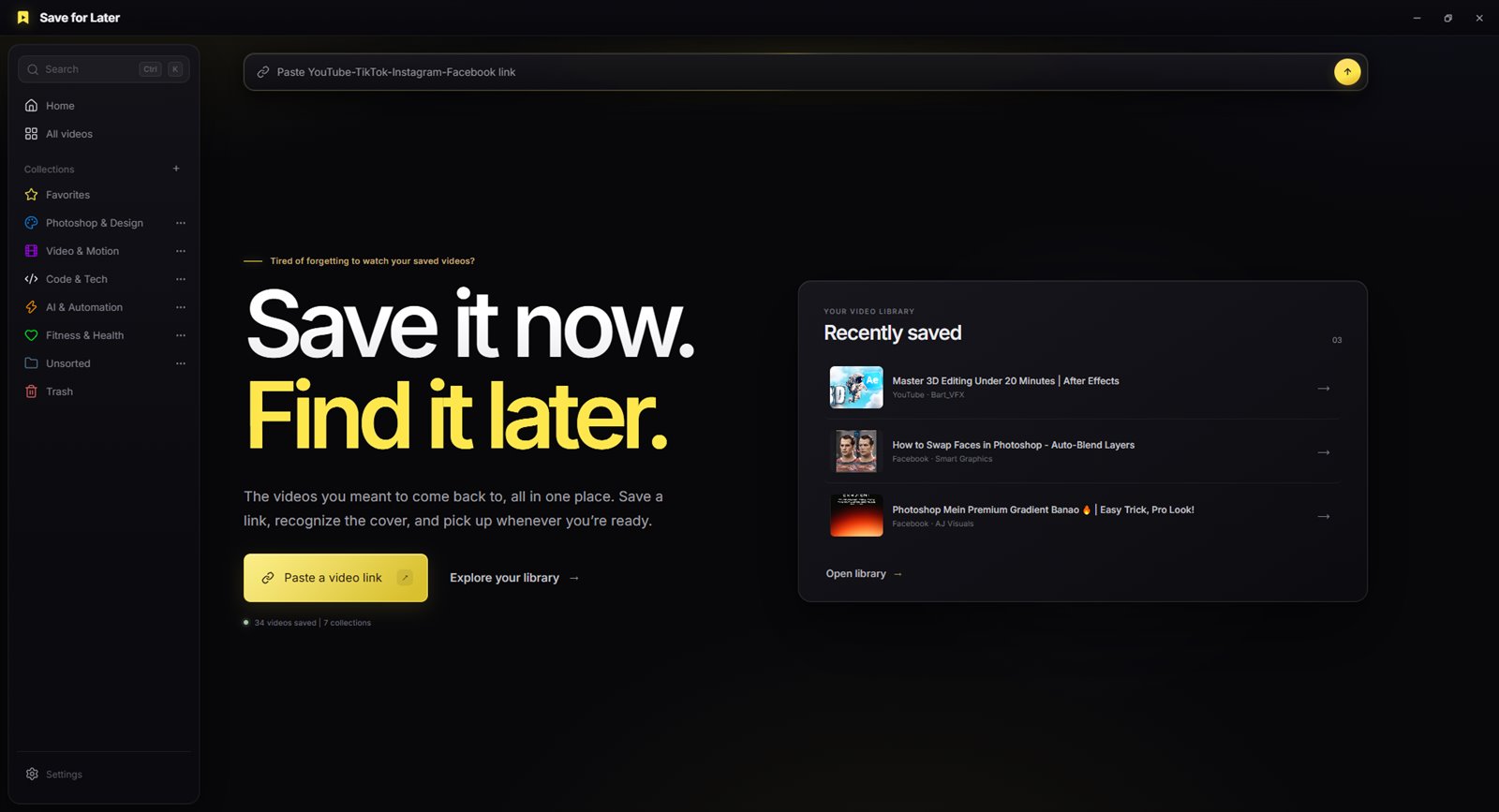
The videos you meant to come back to, all in one place. Paste a TikTok, Instagram, Facebook or YouTube link — Later reads the cover and title and shows it as a card you recognise at a glance.

Windows 10 / 11, 64-bit. Free, no account, nothing to sign up for.
Unsigned build: Windows may say “unrecognized app” — click More info → Run anyway.

The Save for Later home screen with a glowing paste bar and recently saved videos

Everything you saved, actually findable

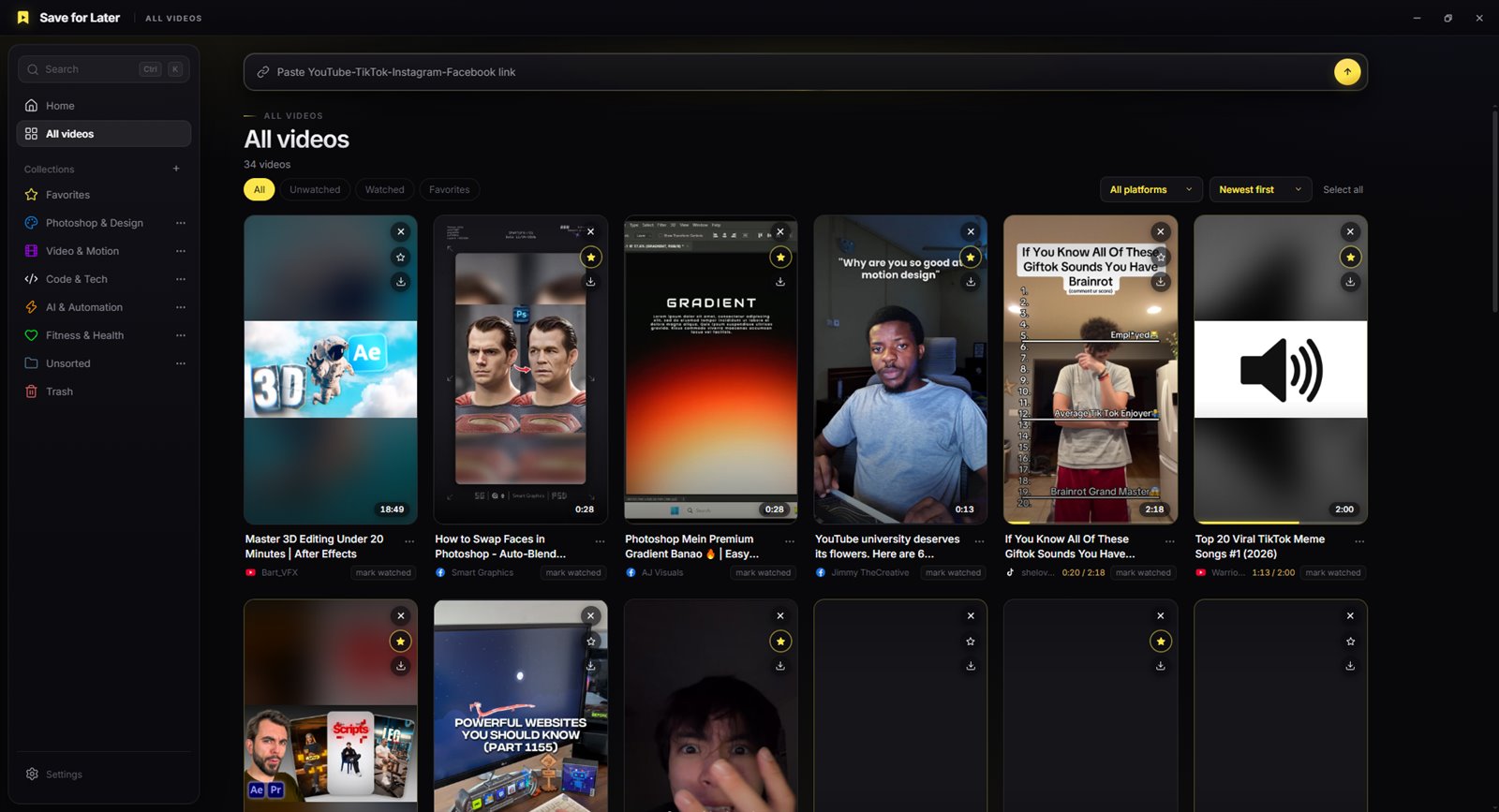
One library, sorted the way you think

The video library grid with 9:16 cover cards

What it does

Small app, few opinions

Cover cards, not links

The cover and title are pulled from the link and shown in a 9:16 frame, with a blurred copy filling the background so landscape videos are never cropped.

Paste many at once

One link per line. The whole batch is read in the background and appears as cards while you keep working.

Quality that matches your line

Later measures your download speed and starts at 1080p, 720p, 480p or 360p. The player can switch to any size the video offers, up to 8K, without losing your place.

Collections and favourites

Group by topic with your own colour and icon. Favorites on top, Trash for the rest, and two sort orders when a collection gets long.

Downloads at full quality

Save any video as an .mp4 at the best quality the site offers, with a Save-As dialog and a chime when it is done.

Portable and updatable

Links, covers and settings live in a data folder next to the app — move the folder and everything comes with you. New versions install from inside the app.

●

Nothing leaves your PC

Your links, covers, settings and downloads never leave your computer and are not sent to any server. Liking a video means the app asks that site for the page's details, the same way your browser would. Browser cookies are read locally, only to open a private or age-restricted link, and are never uploaded.

Questions people actually ask

Before you download

Windows says the app is unrecognized — is it safe?

The build is not code-signed yet, so Windows SmartScreen shows a warning for any app it has not seen before. Click More info then Run anyway. The source is public, and the installer only unpacks the app — no services, no background tasks, no telemetry.

Does it work on Mac or Linux?

Not yet. This is a Windows x64 build. macOS would need its own build and Apple signing, which is a separate job.

Do I need an account or a login?

No. There is no account, no sync and no server. TikTok, YouTube, X, Vimeo and Reddit work without logging in.

What about private or age-restricted links?

Turn on Browser cookies in the app and it reads your logged-in session locally. Recent Chrome and Edge versions encrypt cookies in a way the downloader cannot read, so this works reliably with Firefox; if a browser's store cannot be read, Later skips it and says the link needs a session.

Where do my saved videos go?

Into the folder you pick in the Save-As dialog. The library itself stays in data\library.json next to the app, so uninstalling never touches your files.

How do updates work?

The app checks its update feed on launch and installs a new version when you ask it to. Your library is untouched by updates.